


What Is Aikon MT5?
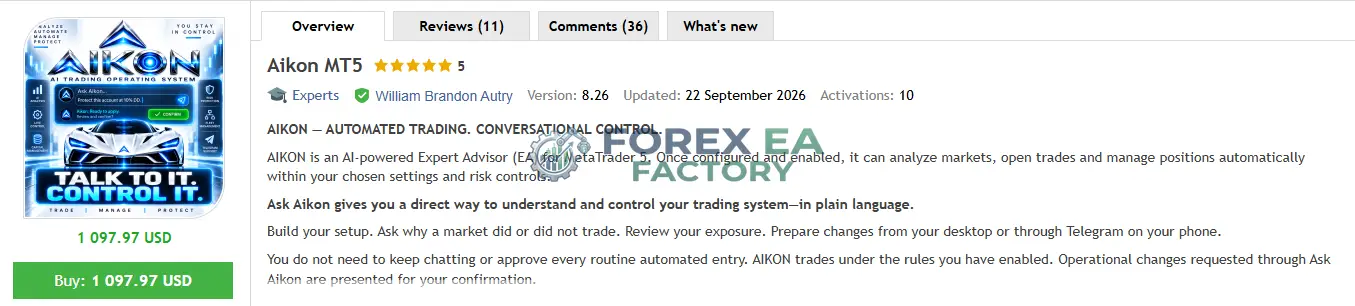
Aikon MT5 is an AI-powered Expert Advisor for MetaTrader 5 that introduces a conversational layer to automated trading. Instead of navigating menus and learning every input, you can describe the outcome you want and let the system propose the settings. According to the vendor, the goal is to reverse the traditional relationship where the trader adapts to the software.
The product is listed on the MQL5 Market at $897.97 (current price with 7 of 10 launch slots remaining, rising toward a final price of $4,997). It is developed by William Brandon Autry.
📌 Vendor Website: Available on the official product page | MQL5
📌 Telegram Support: Join for updates, announcements, and support
What Stood Out When Researching This Tool
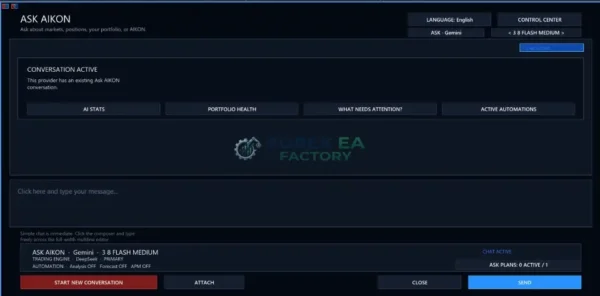
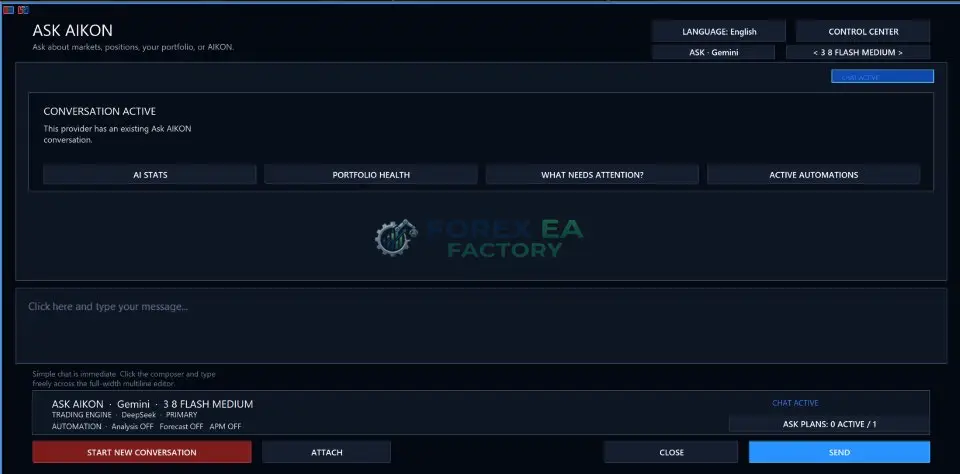
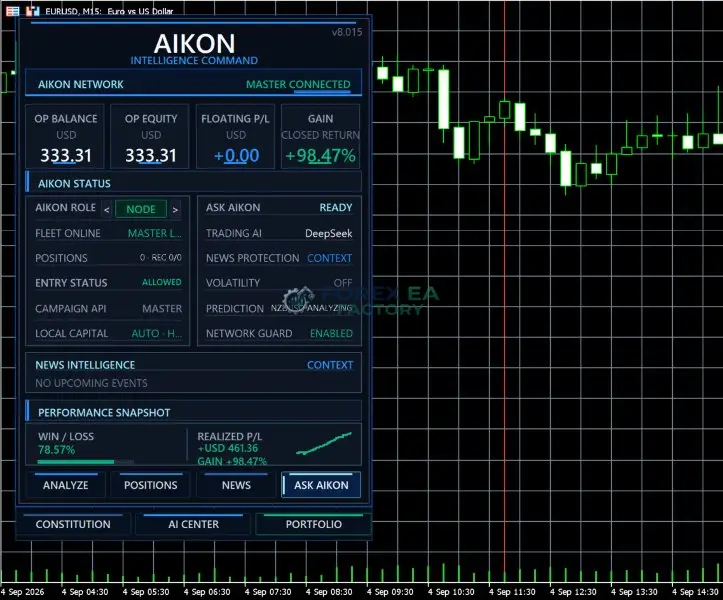
After reviewing the available documentation, screenshots, and early MQL5 feedback, the most distinctive element of Aikon MT5 is the Ask Aikon interface. Vendor screenshots show a conversation window where you can type requests like “Close my profitable positions” or “Set Forex to Single Entry with a Stop Loss.” The EA then presents a proposed action for you to confirm.
Early MQL5 reviews praise the usability and the Telegram phone control. Reviewer ghazouani77 described it as “an operating system for traders.” Another reviewer, Michael 888, highlighted the convenience of controlling everything from a phone.
According to the vendor, the product cannot be fully demonstrated in the MetaTrader Strategy Tester because the live AI features require API connectivity and WebRequest, which the tester does not execute. The vendor states that backtesting shows roughly 10% of the full experience. No independently verified trading performance record is presented in the public materials.
1. Aikon MT5 Reviews
Key Features
• Ask Aikon Conversational Control: Talk to the EA in plain language to request settings changes, ask questions about your account, or trigger actions. Every requested change goes through a confirmation step before execution.
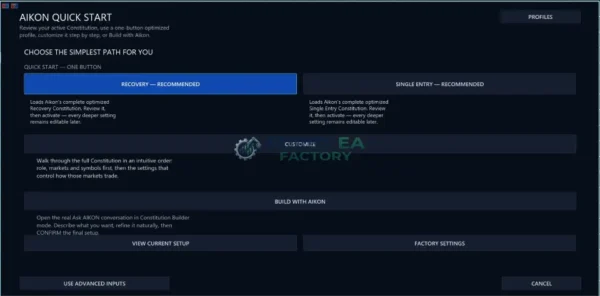
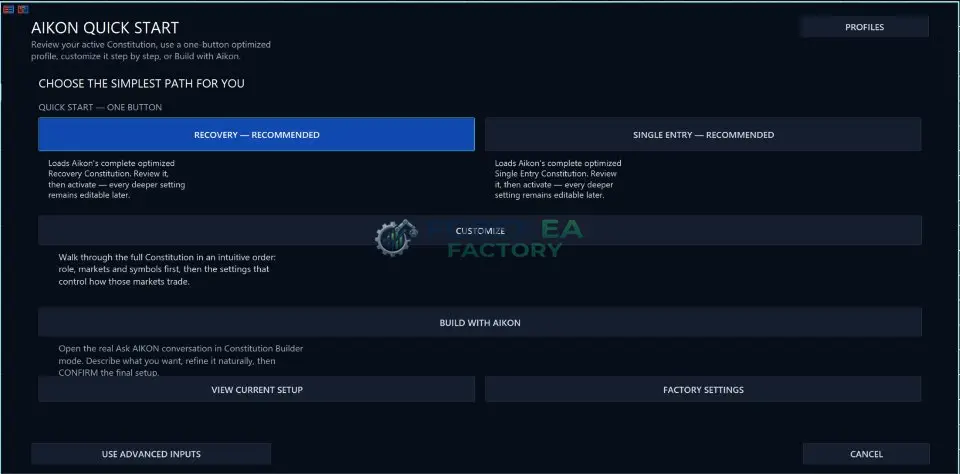
• Trading Constitution: A configurable set of operating rules that defines how the system trades. Optimized starting paths include Forex Single Entry with Stop Loss, Gold / XAUUSD Single Entry with Stop Loss, and Forex Recovery.
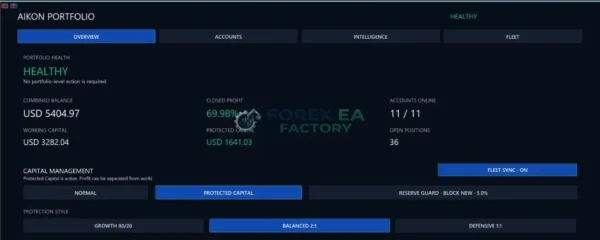
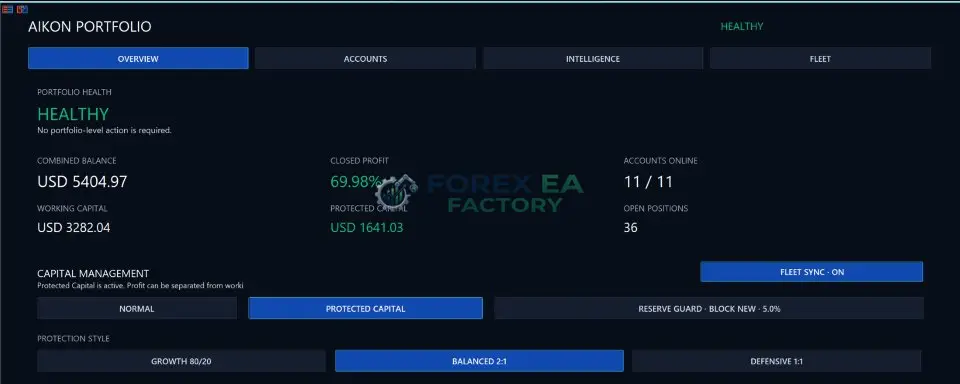
• Capital Management: Separates Operating Capital (authorized to work), Protected Reserve (excluded from normal operating authority), and Harvestable Profit (profit recognized above the active capital charter).
• Reserve Guard: Automatically restricts new campaigns, restricts campaigns plus recovery, or requests exits when capital protection thresholds are triggered.
• Telegram Remote Control: Pair your phone to the running MT5 instance to ask questions, change settings, manage positions, and control a Node or coordinate the fleet from anywhere. No companion application is required.
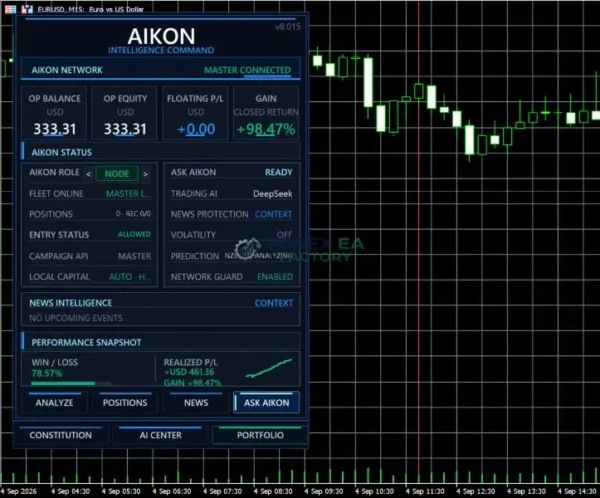
• Portfolio and Fleet Management: Use Master-Node architecture to coordinate multiple accounts as a portfolio, assigning different tasks to individual nodes.
• AI Economics: Tracks API calls, response time, tokens, tool usage, and tracked API cost to help keep operating expenses low.
• Web Research and Tools: Ask Aikon can look up external information, analyze uploaded files, and create bounded TXT, CSV, or JSON exports.
Why Should You Buy This?
• Reduced Configuration Friction: You do not need to learn every input or menu before getting started. You can describe the outcome you want and let the system build the settings.
• Clear Control Boundaries: Capital management separates trade risk from operating authority, which helps you define how much of your account is actually participating in the operation.
• Remote Oversight: Telegram access lets you stay informed and make changes when you are away from your desk, while MT5 remains running.
• Adaptable Framework: It is not limited to one strategy or one trading style. The Trading Constitution can be customized to fit different approaches.
• Honest Limitation: Aikon MT5 does not guarantee profit, remove trading risk, or replace the trader’s responsibility for configuration and capital decisions. Netting accounts cannot run Recovery, and FIFO/no-hedge conditions change supported execution behavior.
Why Aikon MT5 Is Different
Aikon MT5 is different because it is not just another entry-signal EA with an AI label. According to the vendor, the architecture separates AI functions into dedicated operating lanes, uses shared fleet intelligence to avoid duplicating the same decision across accounts, and treats capital authority as distinct from trade risk. The conversational interface is designed to inspect and control the live operation, not just generate signals.
Aikon MT Strategy and Logic
• Market Scan: The system can monitor selected symbols and market conditions according to the configured Trading Constitution.
• Entry Trigger: Depending on the selected profile, it can open a Single Entry with a Stop Loss or start a Recovery campaign.
• Trade Management: Stop Loss and Take Profit can use deterministic logic or supported AI-based exit logic, depending on the selected setup.
• Capital Control: Reserve Guard and operating allowance can restrict new work independently of a signal. Fresh campaign research can be paused while existing-position management and protection continue.
Trading carries risk. Past performance and vendor-reported results do not guarantee future outcomes. You should do your own due diligence before using any trading system.
Optimized Settings Table
| Setting | Recommended Value |
| Platform | MetaTrader 5 |
| Timeframe | Vendor-recommended: not specified |
| Currency Pairs | Forex, Gold (XAUUSD) |
| Min Deposit | $500 (for Forex/Gold single-entry profiles) |
| Recommended Deposit | $1,000 – $5,000 (more if using Recovery profile) |
| Leverage | 1:100 or higher (1:500 preferred for margin flexibility) |
| Account Type | Hedging account recommended; netting accounts cannot run Recovery |
| Product Type | Expert Advisor |
| Recommended Broker | Any MT5 broker with low spreads |
How to Install Aikon MT5
1. Purchase Aikon MT5.
2. Download the EA file and open MetaTrader 5.
3. In MT5, go to File > Open Data Folder, then navigate to MQL5 > Experts.
4. Copy the Aikon MT5 file into the Experts folder.
5. Restart MetaTrader 5 or refresh the Navigator panel.
6. Drag Aikon MT5 onto a chart, enable AutoTrading, and follow the on-screen Quick Start to configure your AI provider and trading profile.
📩 Free Support & Setup Help – Contact us 👉 Telegram Support
About the Developer
Aikon MT5 is developed by William Brandon Autry, according to the MQL5 Market listing. He has released other trading tools, including Mean Machine, and has been active on the MQL5 Market for several years. The product page shows a direct line of communication with the developer, and early reviewers mention his support and responsiveness. Limited independent background information is available about the developer outside of the MQL5 platform.
Is Aikon MT5 Worth It?
Aikon MT5 is worth considering if you want more control over how your automated trading operation is organized, especially if you value conversational configuration and remote oversight. It is less compelling if your priority is a minimal setup with few operating choices, or if your purchase decision depends on an independently verified performance history. Weigh the account type compatibility, running costs for AI provider usage, and your willingness to maintain a connected MT5 instance. This is not a system that runs without your attention, but it is designed to make that attention more productive.
Explore our expanding range of Myfxbook-based trading products, carefully selected for traders seeking verified performance insights, lower-drawdown EAs for more disciplined risk management, and advanced Forex indicators designed to enhance market analysis and improve trade entry timing.
👉 Reviewed By – Elmira N

Atherion Zenith AI EA MT5 V1.1 – Gold Automation for XAUUSD
Atherion Zenith AI EA MT5 is a fully automated Expert Advisor developed specifically for trading XAUUSD on the H1 timeframe in MetaTrader 5. Built around precision, structure, and risk control, it uses an AI-oriented analytical framework to filter market conditions and execute selective trades. The system features a real-time visual dashboard, smart trailing stop logic, and automated risk management. A public live signal is available for real-time monitoring.
Capital Guard EA MT5 V2.0 – SetFile + Unlimited | Low Risk
Capital Guard EA MT5 is a fully automated trading robot for MetaTrader 5, built around a high-probability strategy with an impressive 85.4% win rate and a maximum drawdown of just 5%. Based on verified trading results, this EA demonstrates strong risk control and consistent equity growth, making it a compelling option for traders seeking steady returns without excessive volatility.
Ghost Scalper MT5 V2.5 – No Grid | Martingale with Unlimited
Ghost Scalper MT5 is a fully automated multi-strategy Expert Advisor developed specifically for Gold (XAUUSD) on the H1 timeframe. Rather than constantly searching for trades, Ghost Scalper focuses on selected Support & Resistance breakout setups. The EA analyses completed candles, evaluates internal conditions, and only prepares a trade when a valid setup is detected. Version 2.5 integrates four independent strategies Ghost A, Ghost B, Ghost C, and Ghost D within a single EA, delivering verified live signal results with up to 180% growth and a maximum drawdown of 16.1%.
Aikon MT5 Free Download
Included 100% FREE for Forex EA Factory VIP Members





Reviews
There are no reviews yet.